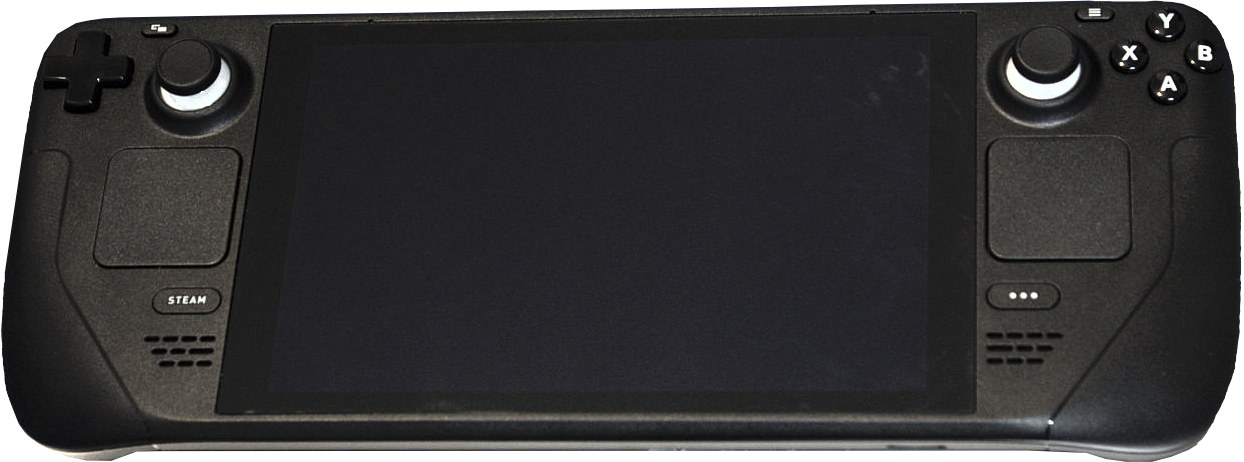
Valve has shipped Proton 11.0-3, the latest stable release of the compatibility layer that lets Windows games run on Linux, and it is a good one for Steam Deck owners. The update makes 15 more games playable out of the box, pulls in a batch of improvements that were previously only in Proton Experimental, and fixes a long list of controller, audio and graphical glitches. The full release notes are on Valve's GitHub page, and the headline is simple: if a game on your Deck refused to start, refused to see your controller, or sounded wrong after waking from sleep, this is the update to install.
Proton 11.0-3 Steam Deck: the 15 newly playable games
The headline number is 15 newly playable titles, and the list is a mix of curiosities and genuine finds. Hero Plus, City Car Driving, Soul Land: Awakening World and Bloody Zombies lead the list, joined by Blair Witch VR, Cool People Club, The Eden of Grisaia, The Rabbit's Scroll and Elisa: The Innkeeper, a prequel. The rest of the list fills out with Welcome to Elderfield Demo, The Heroic Legend of America: Second Revolutionary War, Korea. IL-2 Series, One Shot: Fading Memory, Impulse Response and 8Bit Fiesta, a drinking game. None of these are blockbusters, but that is the point of Proton updates: every release quietly widens the library of games that simply work on the Deck, and 15 at once is a healthy haul.
Valve also re-enabled several games that had broken with the Proton 11 launch. Ragnarok: The New World is playable on devices other than Steam Decks again, and a long list of regressions got fixed, from Command and Conquer: Generals menu glitches to Serious Sam Double D XXL crashing on launch. The compatibility layer also got updated builds of dxvk, vkd3d-proton, Wine Mono 11.3.0 and Xalia 0.5.0.1, which is the plumbing underneath most of these fixes.
Controller support gets the biggest upgrade
If there is one theme to this release, it is controllers. Far Cry New Dawn, The Binding of Isaac: Rebirth and Split/Second all work better with Steam Input enabled now, which covers three very different kinds of game in one fix. Dragon Age: Inquisition had a bug where controllers simply did not work at all, and that is fixed. Avatar: Frontiers of Pandora and Star Wars Outlaws now detect connected controllers properly, which matters a lot on a handheld where the controller is the whole machine.
Smaller controller fixes land everywhere else too. A hotplugging regression in Chrono Trigger is fixed, Deus Ex: Mankind Divided gets better controller support in its launcher through Xalia, and the Final Fantasy XI launcher no longer breaks gamepad configuration. Lara Croft and the Temple of Osiris had controller stutter, and that is gone as well. For a device that lives or dies on its controls, this is the part of the patch most Deck owners will actually feel.
HDR, audio and crash fixes
The visual and audio fixes are just as broad. Far Cry 5 gets its HDR working properly on the OLED Steam Deck, which is the model where HDR matters most. Dragon Quest Builders had audio cutting out after the device woke from suspend, and that is resolved, along with audio problems in LEGO Batman: The Videogame and Plants vs. Zombies: Game of the Year, where sound broke after about 30 minutes of play.
Several games that broke with Proton 11 are playable again. Lords of the Fallen and Deus Ex: Mankind Divided work again on systems with AMD GPUs, Forza Horizon 4 no longer leaks memory on first launch under KDE Wayland, and the intro videos in Grand Theft Auto III play again. Terminator: Dark Fate, Defiance had a crash that is now fixed, Nightingale had a Steam authentication failure that is resolved, and Crysis and Crysis Wars are playable again on newer AMD processors. The Final Fantasy XIV launcher also works again on the Steam Frame, Valve's upcoming headset.
What to do if your game still will not run
Proton updates arrive through Steam, so there is nothing to download by hand. If your Deck has not picked it up yet, check for a Steam client update and restart, then try the game again. If a specific title still refuses to cooperate, open its properties in Steam, go to Compatibility, and try forcing Proton Experimental, which carries newer fixes than the stable branch. ProtonDB is also worth a quick check: the community lists per-game tweaks and launch options that often solve the last few stubborn titles.
Releases like this are easy to overlook because they do not add a feature you can see, but they are the reason the Steam Deck keeps getting more useful instead of less. Fifteen more playable games, controllers that work in the games that matter, and HDR that behaves on the OLED model is a solid Tuesday for Deck owners. If you have been putting off a game because it would not run, now is the time to try it again. For more on what the Deck can do, see our look at Steam's new average FPS figures and how 21 original Xbox games came to PC.